Finding what others miss with ease
Finding specific files on a cluttered hard drive can quickly become a nightmare. Windows’ built-in search often feels sluggish or incomplete, leaving users scrolling through endless folders without results. This is exactly where the power of Agent Ransack becomes essential, restoring speed, precision, and control to your daily productivity across busy work environments.
Top Recommended Alternative

In addition, the Agent Ransack is a reliable search and lookup tool has helped countless users locate missing data quickly, offering a free and powerful alternative to standard system search engines. It provides a level of search depth and speed that most users never knew was possible.
Powerful features
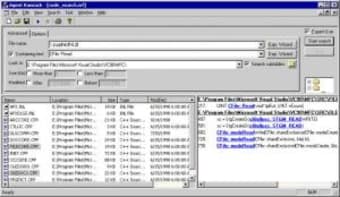
One of the standout features of Agent Ransack is its sheer speed and efficiency. By utilizing highly efficient search algorithms and a native 64-bit version, it delivers immediate results that save you valuable time. You can search through popular Office formats, including 2010 and OpenOffice, without a hitch. The interface displays found text with highlighted keywords, so you can verify the content before ever opening the file, making it smoother.
For those who need more than just a simple filename search, the tool supports Perl-compatible regular expressions and Boolean operators like AND, OR, and NOT. This allows for incredibly specific queries that go deep into your PC or network drives. Whether you are a casual user or a developer, these advanced options provide a level of control that most built-in tools lack.
While the software is excellent, there are a few drawbacks to consider. The user interface can feel a bit dated, appearing more like an older Windows application than a modern tool. Additionally, advanced features are locked behind the Professional mode, which requires a paid license for those needing more than the Lite version. Finally, some users might find the learning curve steep when first experimenting with regular expressions.
Reliable choice
Agent Ransack remains a top-tier choice for anyone tired of losing files in the digital void. Its combination of speed, deep search capabilities, and a free-for-commercial-use Lite mode makes it a trustworthy addition to your toolkit. While the interface is simple and some features cost extra, its core performance is hard to beat. Take control over your local file management today.